 Infinitus
Your Claude fleet,
never off the clock.
Two or more Claude subscriptions? Infinitus is mission control for a fleet of Claude Code accounts. It watches every usage window and rotates to the freshest account the moment a limit hits — so a run survives the five-hour wall without you.
Signed and notarized — it opens like any other app. Needs the swapd CLI on your PATH — Infinitus walks you through the first account.
Also for Linux x86_64 · Linux aarch64 · Omarchy — or AUR / source. The macOS download is the desktop app, menu bar app included (DMG, Apple silicon).
How it works
A Swift menu bar app over the swapd engine.
Every engine touchpoint is an isolated swapd --json
subprocess — Infinitus never touches your credentials directly.
Every window, every account
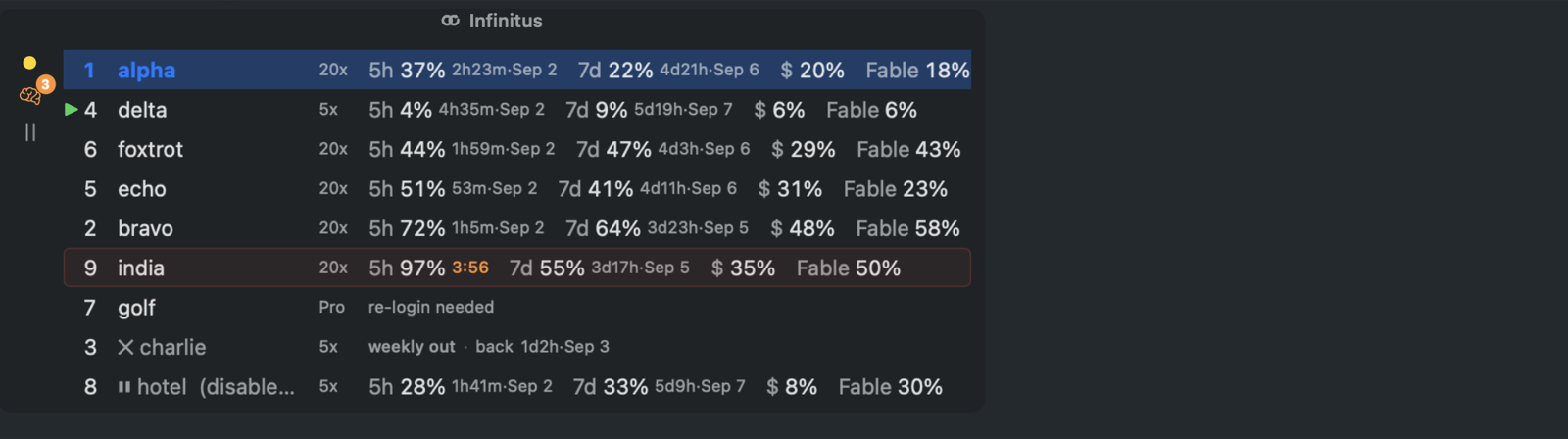
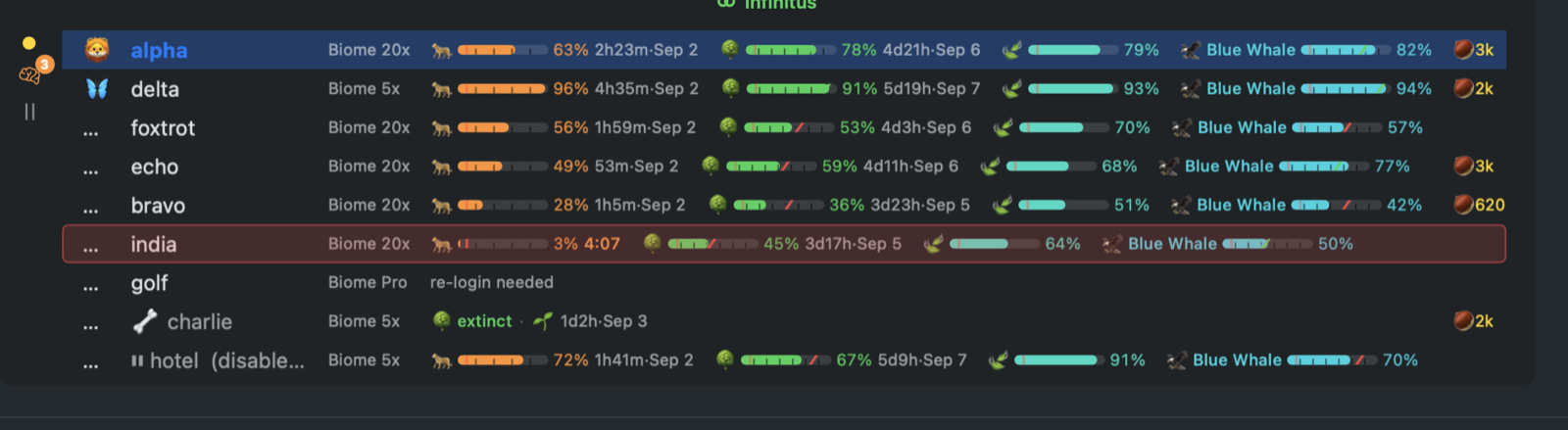
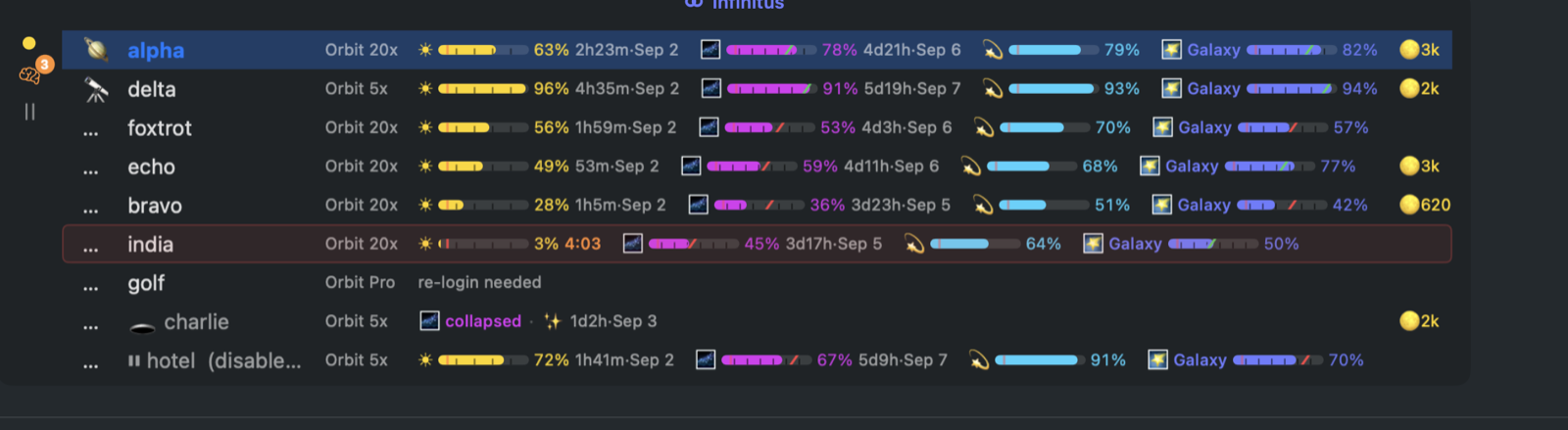
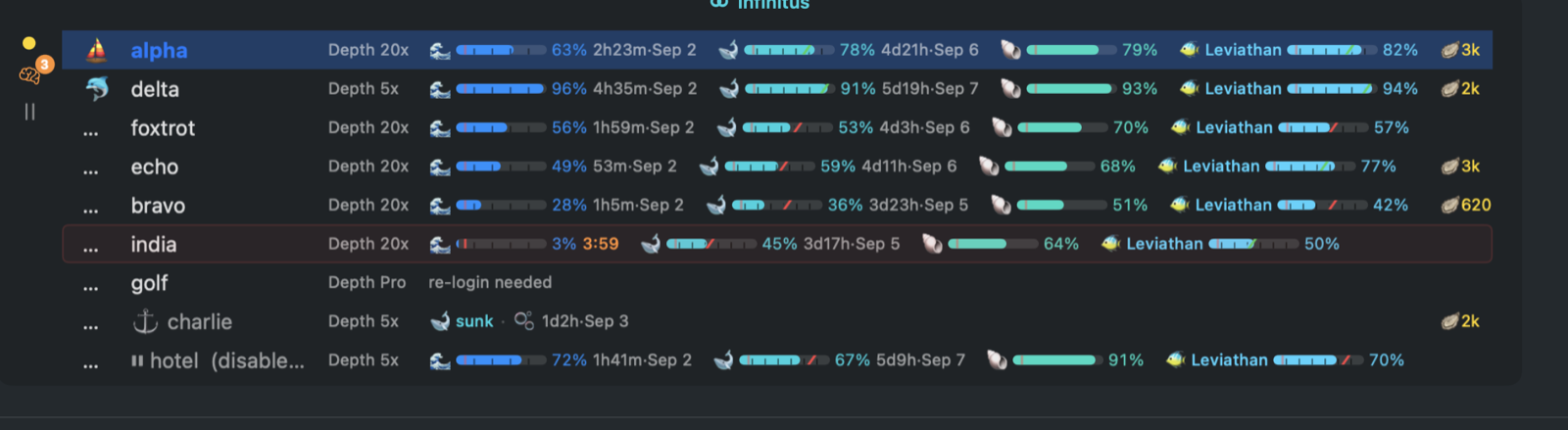
5-hour, weekly, and per-model usage gauges with reset clocks, pace markers, and a flash warning when an account is dying.
Rotate on the limit, not after it
Consume-first auto-switch picks the account whose weekly window resets soonest. Limits become a hand-off, not an outage.
Threads pick themselves back up
A thread a usage limit stopped carries on in Infinitus desktop as soon as an account is back, from the turn it was cut off on.
The popup
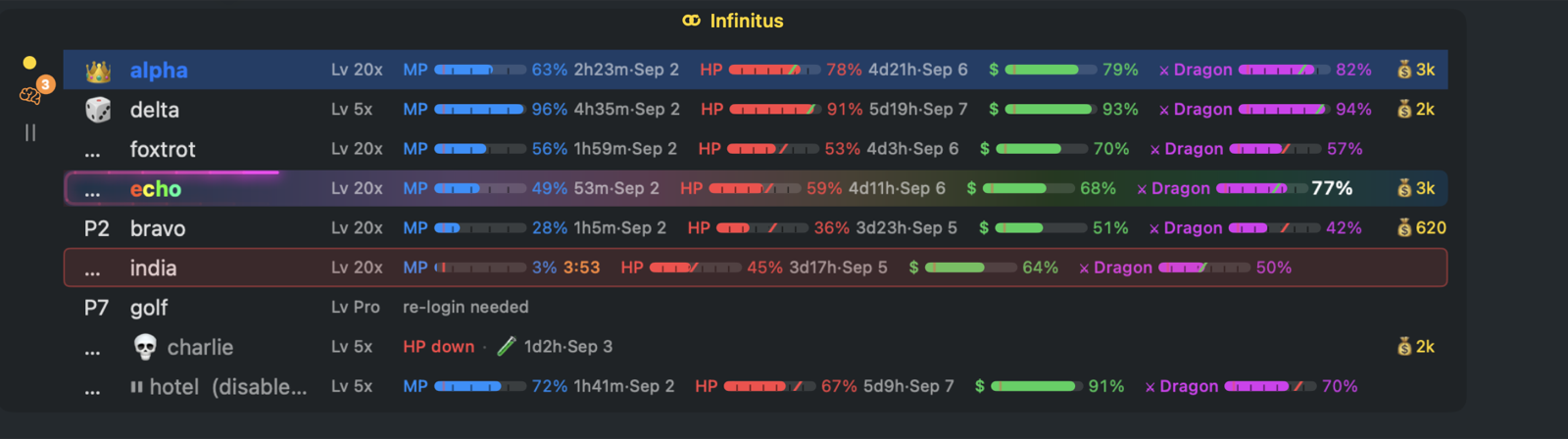
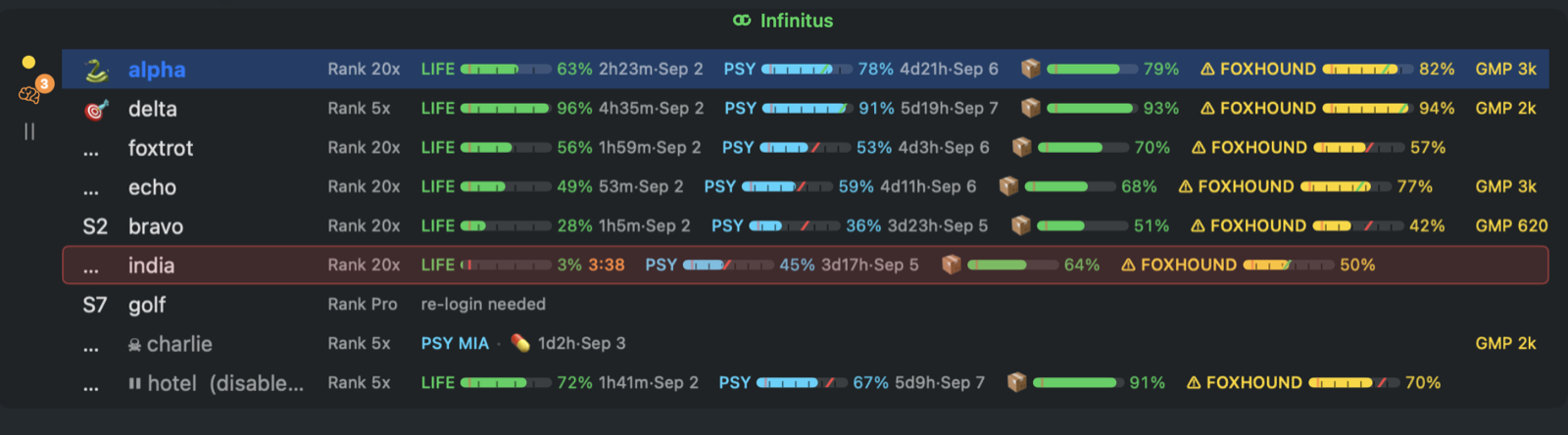
The whole fleet in one glance — RPG theme shown: MP is your 5-hour window, HP the weekly, Dragon the per-model quota. Skulls are limited accounts; the crown is who's carrying.
Features
Built for people who run agents all day and want to look at one thing — briefly — when it matters.
Watch & switch
●Revival probes
When a countdown ends the Mac asks the engine again at once, and "account is back" tells you — flagged when Anthropic reset early, and once for the whole fleet when everyone returns.
●All-dead countdown
When every account is limited, the popup, the desktop app and the phone count down to the first revival.
●At this pace
Measured burn per window, when each runs out, when the whole fleet is out — and a full forecast dashboard behind it.
●Reset battle plans
The smart engine triggers 5-hour windows deliberately, chaining two windows back-to-back on the same account.
●One account, done right
Single account? A card with big gauges and the reset time in the menu bar — no fleet vocabulary until you add a second.
Threads
●Checkpoints and forks
Every turn checkpoints the repository. From any turn in the transcript: restore its files, rewind the chat, both at once, or fork the thread from there into a new one.
●Best of N
One prompt to two, three or four models at once, each in its own worktree. A card on every member lists the others — status, turns, files changed — and Keep this one clears the rest away.
●A queue, not an interrupt
A message typed while a turn runs waits for it instead of steering into it, and goes the moment the thread is idle. Edit it, reorder it, send it now — or switch the composer back to steering.
Phone
●Mobile companion
Your fleet on the phone, iPhone or Android — over Wi-Fi, Tailscale, your own Cloudflare hostname or a free quick tunnel. One QR, every route; the Mac lists which devices are connected and how.
●Thread chat
Every thread as a chat on the phone: markdown replies streamed live, tool runs in one chip, sub-agent cards. Answer approvals and questions, reply, attach photos from the camera or files.
●Live Activities
On the iPhone, a lock-screen card of what your threads are doing, started by the Mac and kept moving over push with the app closed. Turn it on in Settings › Menu bar.
●Usage widgets
A home-screen and lock-screen widget for the five-hour and weekly quota of the environments the phone is connected to — the tightest one when the lock screen has room for a single line.
●Crash reports, on-device
The Mac lists its own crashes and hangs in Settings › Sync, and the phone app keeps its own startup-crash log in Settings. Nothing leaves your machine.
●AWS and gcloud login from the phone
A thread whose aws or gcloud command
hit expired credentials shows up on your phone; sign in there
(passkeys included) and the next run has them again.
●Threads first
The phone opens on what's waiting for you: the threads that need an approval, an answer or a look.
●Star & pause from the phone
An account's menu on the phone stars it — picked first — or holds it out of rotation; on the Mac, right-click the name in the popup, and a held row shows a play button to release it.
●Dictate a prompt
Hold the mic in the composer and talk. On the iPhone the words are turned into text on the device itself, and the transcript lands where you were typing.
Themes & history
●Themes
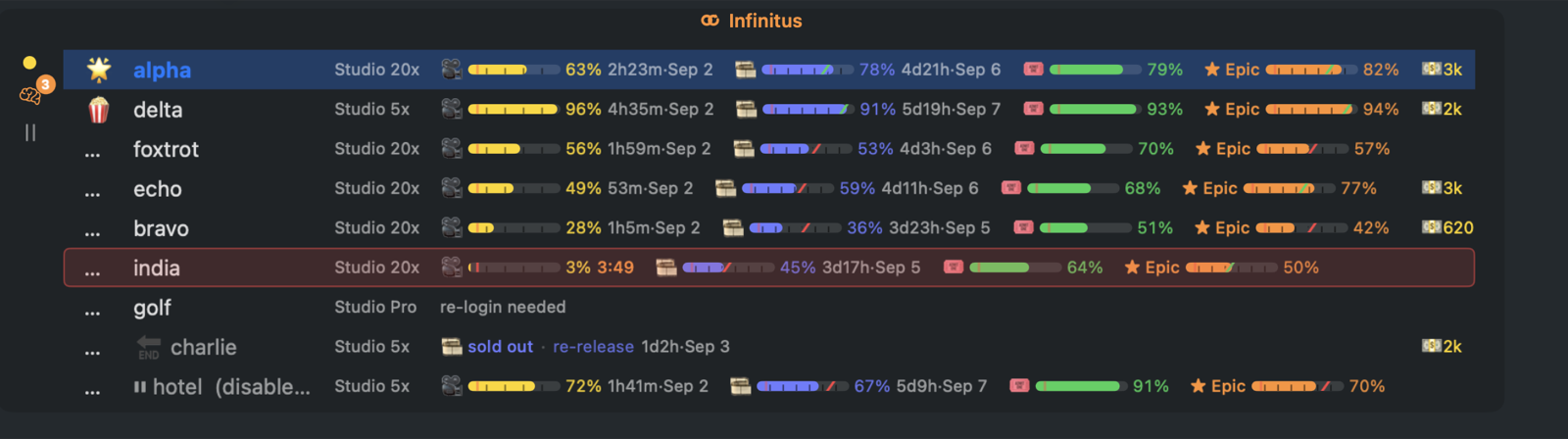
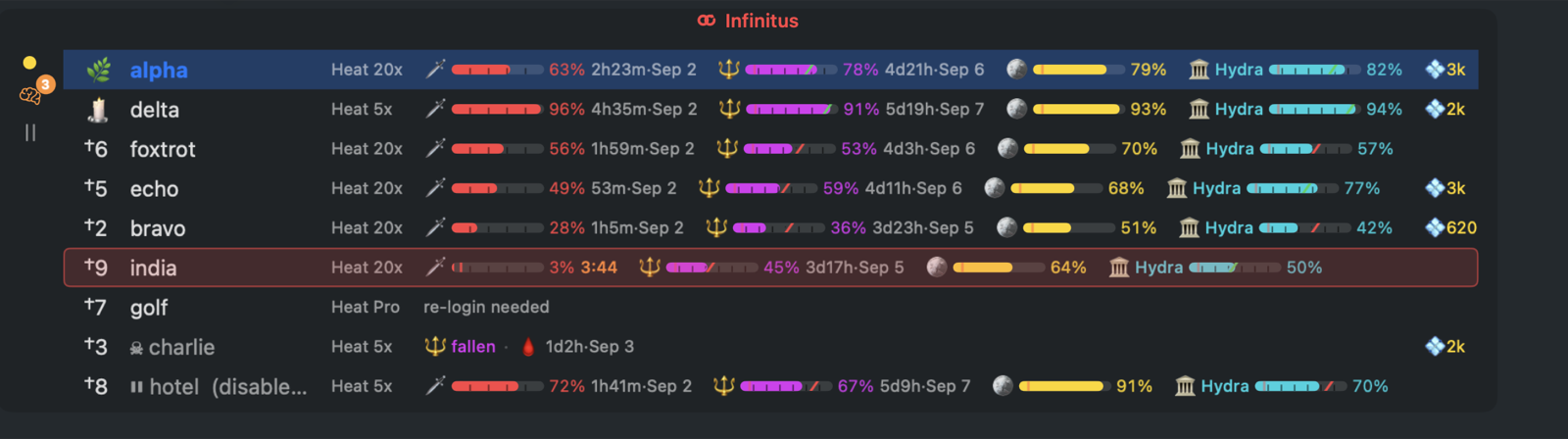
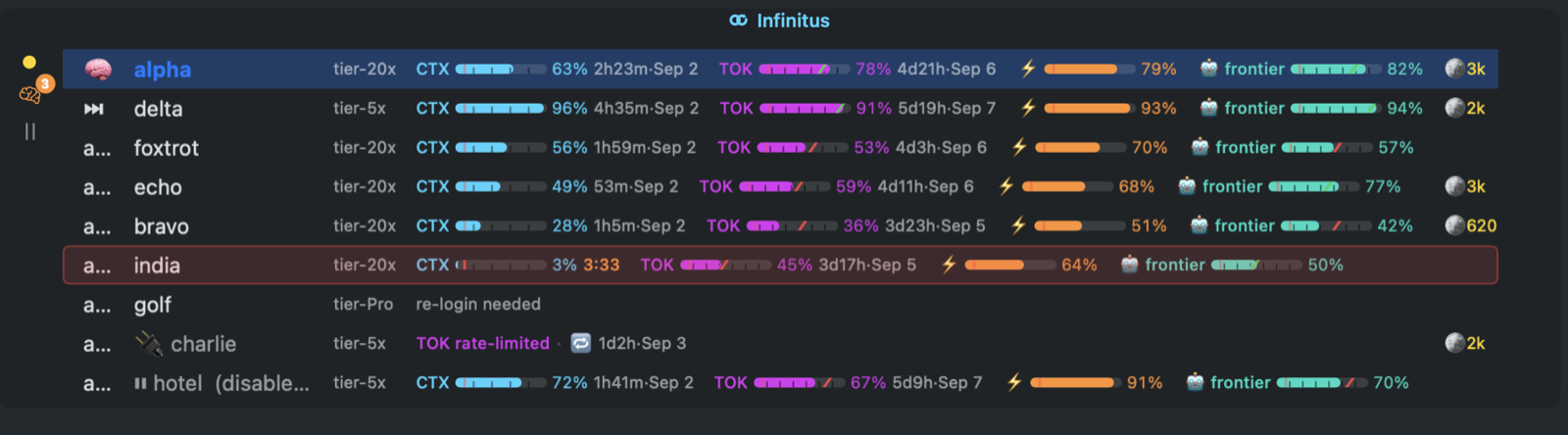
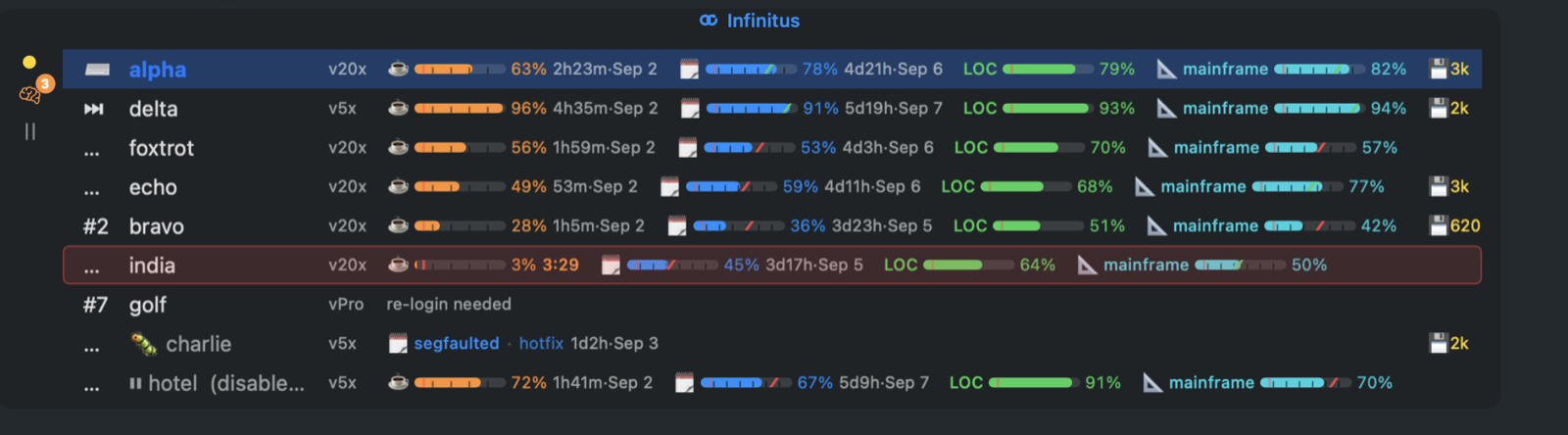
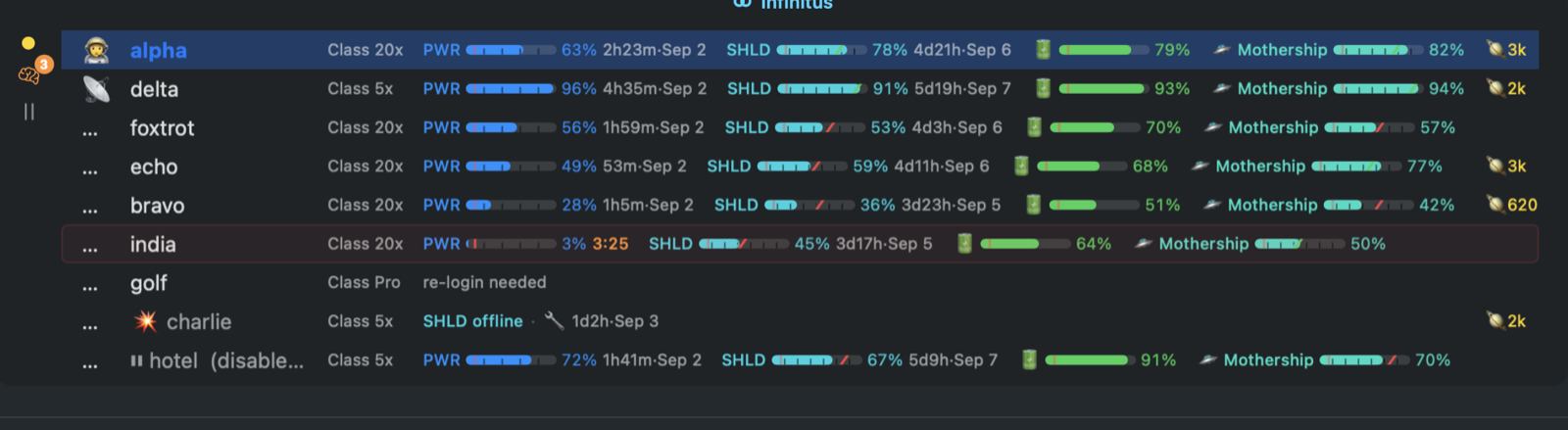
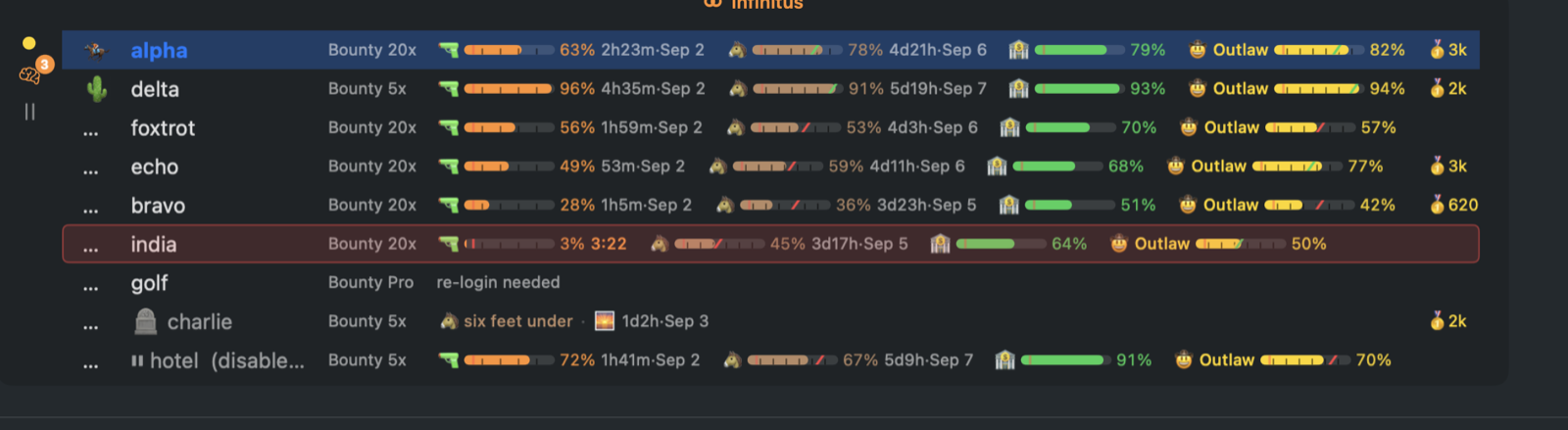
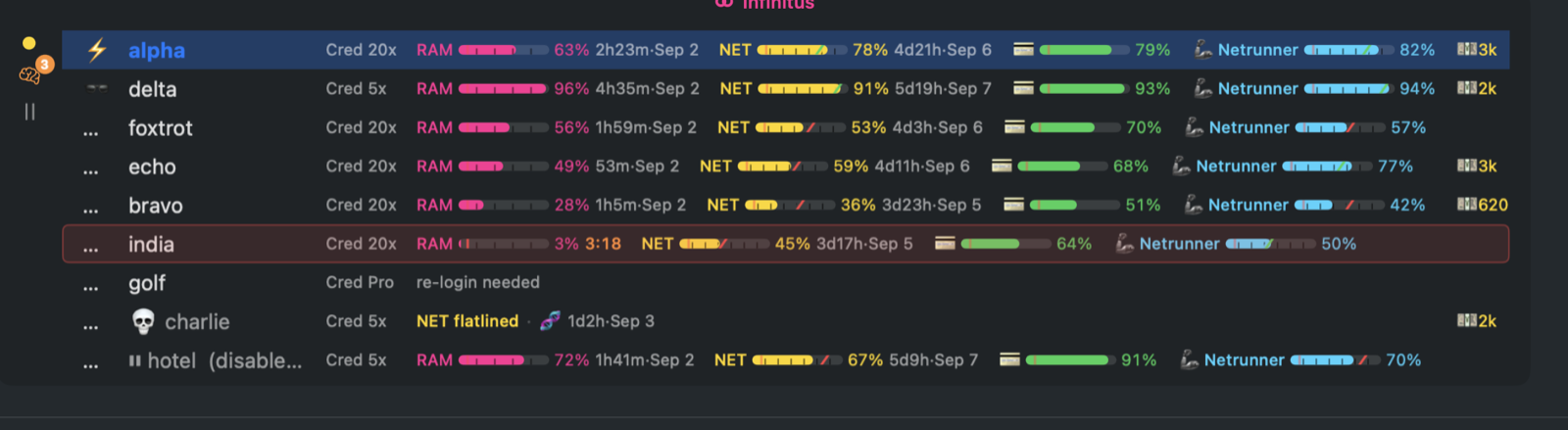
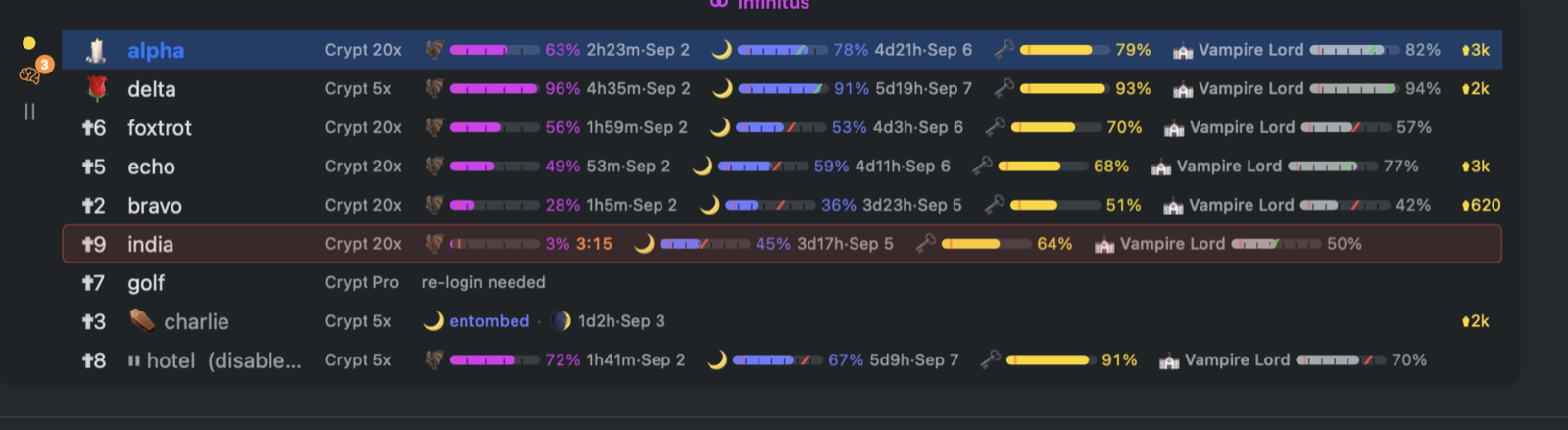
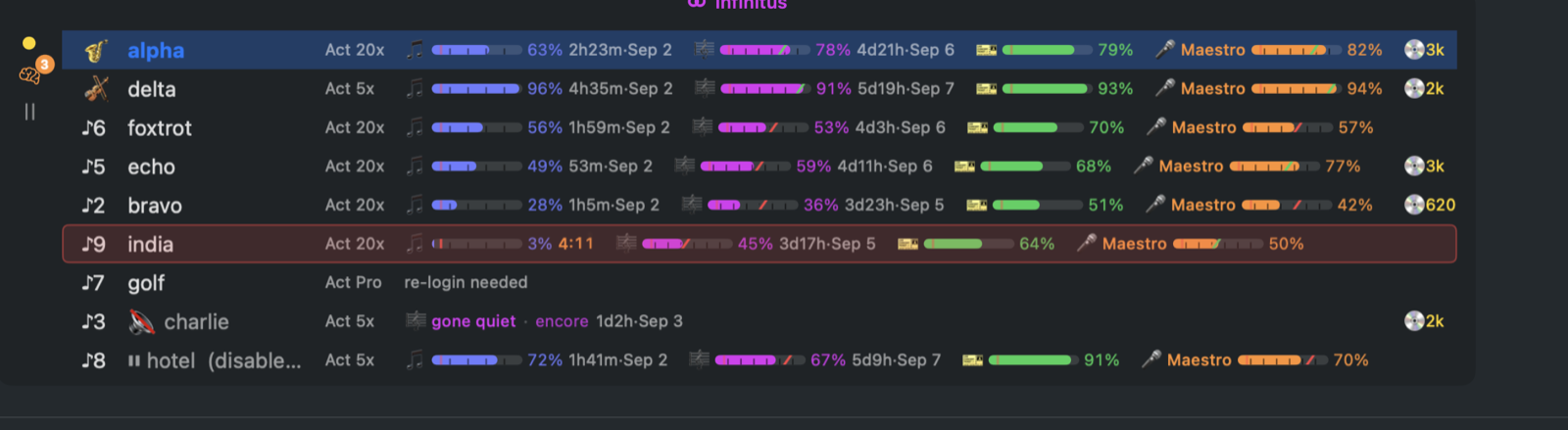
RPG HP bars, tactical-espionage flavor, or plain minimal — the fleet reads at a glance either way.
●Usage history
Per-account utilization over time with waste estimates — see the capacity your fleet left on the table. iCloud sync.
●Stats
Commits, lines, PRs, messages, tool calls, switches, limits and cost, by day, week, month or year — with the trend against the last one. Where the effort went, per activity, model, engine (Claude Code, Codex CLI) and effort setting. A tokens/min record book: daily peaks, the all-time best, the trend.
Integrations & agents
●Linux port
A Quickshell panel for Omarchy / Arch with the same gauges and dead-account flash.
●Agent-ready
infinitusctl drives the app over a local socket and
Infinitus desktop's projects and threads (threads,
thread send|new|interrupt), and an onboarding brief
hands a coding agent the whole setup.
●CLIProxyAPI & 9Router
Fleets behind a proxy plug in as more engines — CLIProxyAPI's management API, 9Router's dashboard (Claude, Kiro credits, Codex, Gemini) — stacked with aligned columns.
●swapd
The multi-provider engine behind the fleet — one fleet per provider it holds (Claude, Gemini CLI…), its own auto-switch daemon, and igniting an account refreshes it at once.
●Priority mode
hold or interrupt gives every fleet a headroom verdict — abundant, low, critical — so a client pauses background work before a window binds, not after.
Fifteen skins, one fleet
Every theme renames the windows, restyles the gauges, and brings its own intro, death, and revival effects. Pick one in the desktop app's Settings › Menu bar.
Install
Grab a release or build from source — it's a plain SwiftPM project.
macOS
# the desktop app, Infinitus-<version>-arm64.dmg, menu bar app included
open https://infinitus.run/download/mac

# or build it yourself
git clone https://github.com/deathemperor/infinitus
cd infinitus/apps/mac && ./make-app.sh && open Infinitus.app
Releases and nightlies are Developer ID signed and
notarized, so they open like any other app. Requires the swapd CLI on your PATH
(cargo install --git https://github.com/deathemperor/swapd swapd);
Infinitus walks you through first-account setup.
Linux (Omarchy / Arch)
# tray daemon + Quickshell panel plugin
git clone https://github.com/deathemperor/infinitus
cd infinitus/apps/mac
swift build -c release --product infinitus-tray
# panel: apps/mac/packaging/omarchy/quickshell-plugin/ (Waybar module beside it)
Same core, same gauges — rendered in your Quickshell bar. On the AUR.
Questions
- What is Infinitus?
- A free, open-source menu bar app (macOS) and tray daemon + panel plugin (Linux) that manages a fleet of Claude Code accounts: every account's 5-hour, weekly and per-model usage at a glance, automatic rotation to the freshest account when a limit hits, so a thread in Infinitus desktop carries on across the wall.
- Does it work with Claude Code?
- Yes. It switches accounts through the
swapdCLI and reads Claude Code's own local files for usage. It never modifies Claude Code. - Which platforms?
- macOS 14+ on Apple silicon, and Linux — a static
infinitus-trayfor x86_64 and aarch64 with a Quickshell panel plugin for Omarchy / Arch (also on the AUR). The phone app for iPhone and Android builds from source today — no store build yet. - Is it free?
- Free and open source, MIT licensed. Source is on GitHub.
- Are the numbers exact?
- Usage percentages come from Anthropic's own limits reporting. Usage-cost figures are estimates, never billing truth.